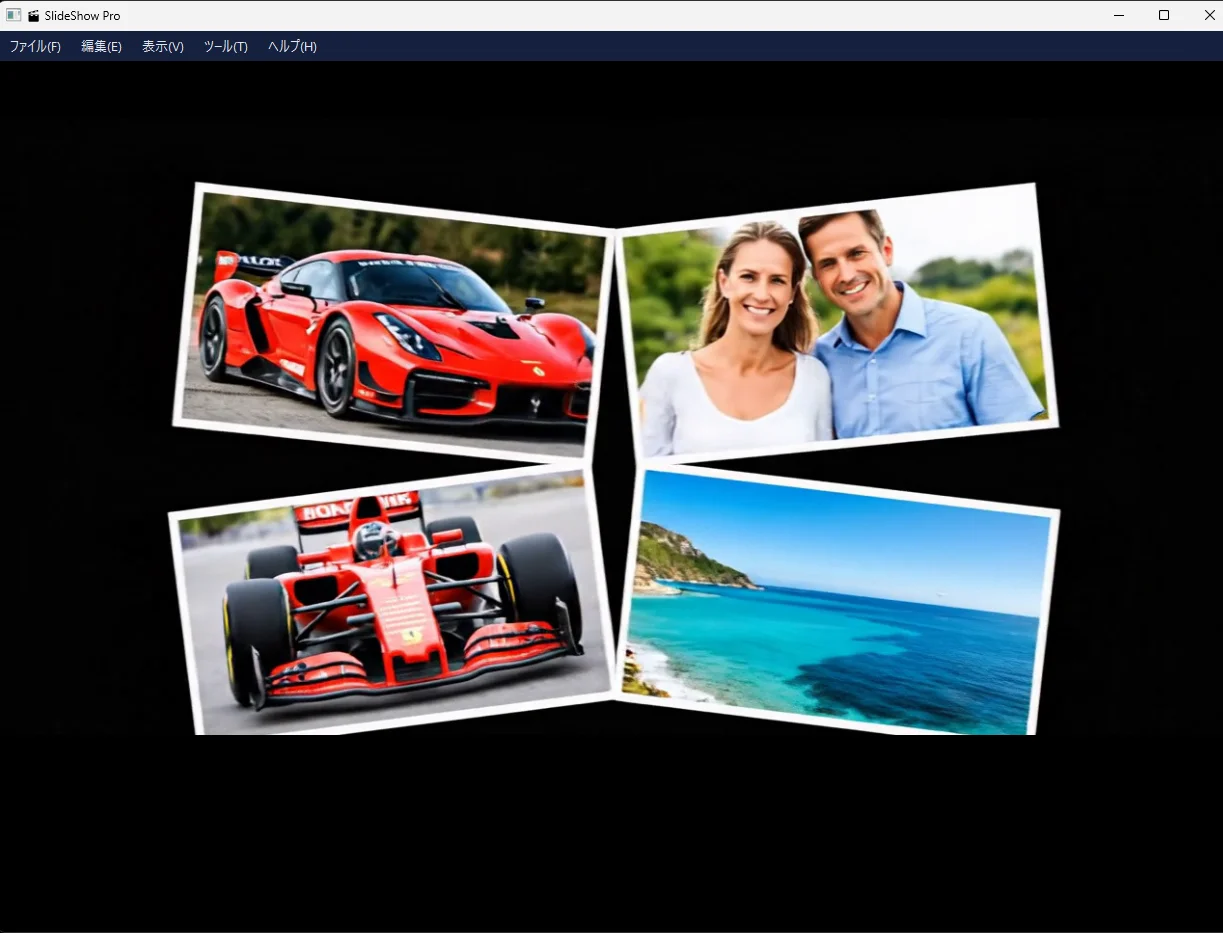

SlideShow Pro
Just arrange photos and videos and add background music to play them back as a full-screen slideshow or export them as an MP4 video. Includes 37 transition effects.
What can you do with BASECORD? What can you make?
These are apps made just by talking to AI. You can download them for free.
We also show how they were made, just as they were.
The apps listed here are test projects that explore how far BASECORD can go. They are free to use, but we do not guarantee how they work or provide support.
Just arrange photos and videos and add background music to play them back as a full-screen slideshow or export them as an MP4 video. Includes 37 transition effects.
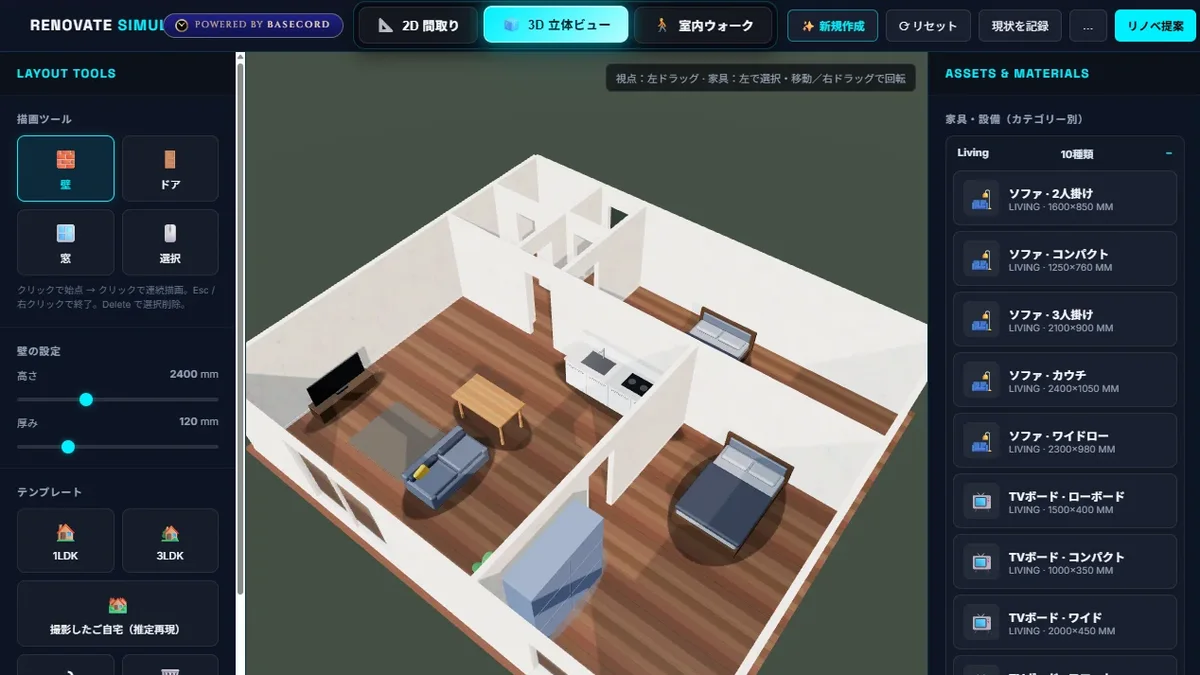
Draw a floor plan and it instantly becomes a 3D room where you can place furniture and walk around. It's a renovation simulator that lets you change wallpaper and flooring, recreate how sunlight comes in, and compare before and after the renovation.
Press ["3D"], then try moving things around using the mouse trackball or the Ctrl key.


A memorization app you can use on the train to school while answering questions and reviewing the test material. It has about 1,040 questions across 7 subjects and English. Questions you get wrong will keep coming back until you answer them correctly.

This picture book was made with a picture book generator app that I created for my son. ChatGPT and Gemini drew the illustrations. It's a modern take on Momotaro: Poko, a teddy bear found at a coin laundry, sets out to defeat the demons. It has 2 episodes and 38 scenes.
What was asked of the AI, and what it did. The actual conversations are shown as they happened.
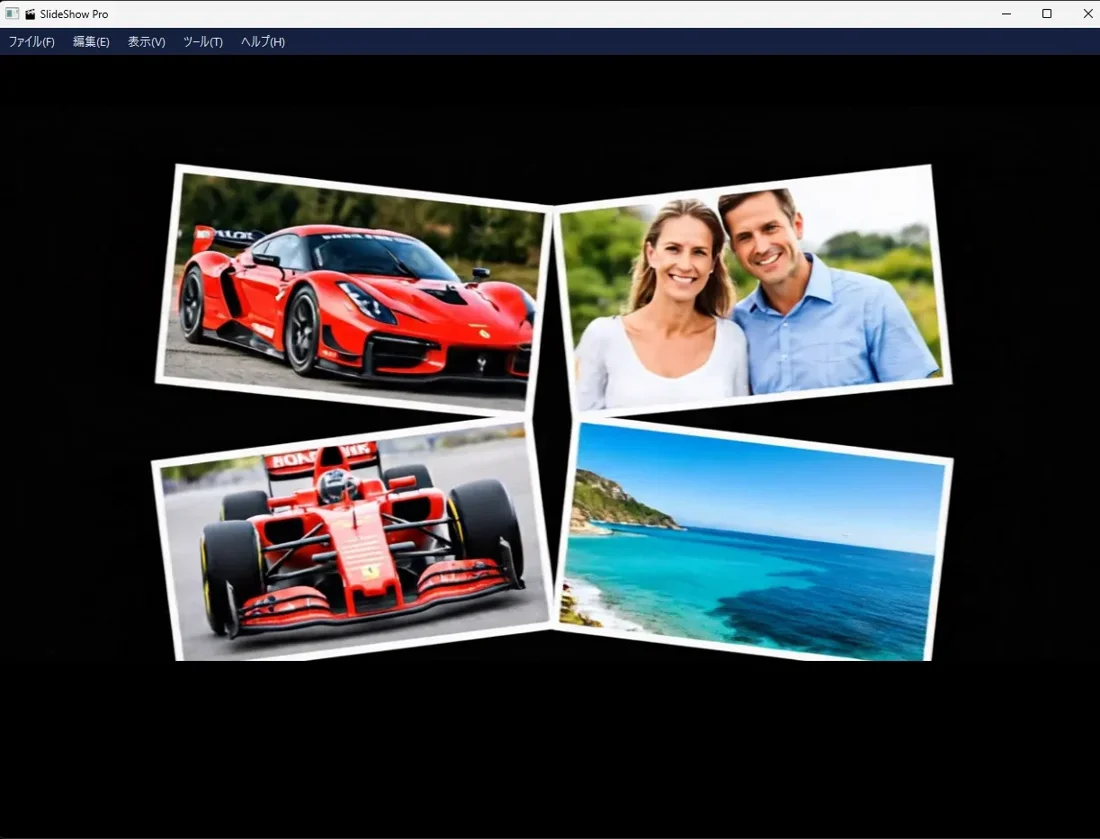
It started with a friend's 60th birthday celebration. I wanted to make a video to play at the party using decades of photos and videos collected from friends. At first I tried an AI video service, but it was "too expensive." So I asked AI to just build my own app instead, and that was the first step of SlideShow Pro. As I used it myself, I thought, "Maybe ordinary people would find this useful too," and I started the finishing work to release it publicly.
When I started in January 2026, BASECORD didn't exist yet. That's why I first built it in a regular AI chat window. Now, everything is handled within BASECORD, from planning and writing the program to setting up the complete package and publishing the website.
Some bugs took many requests to fix, and still never got resolved. In those cases, I simply switched the advisor to Gemini while staying on the same screen. Then it was fixed in one go. Gemini is very strong at fixing programs. In BASECORD, all the AIs share the same conversation and memory, so you can swap to whichever AI is best at the task right on the spot. There's no need to copy and paste into a different service.
Installing the parts in a terminal is too much for regular people. Make it all-in-one.→ Created a double-click setup that bundles Python and all the required parts.
Stop installing through PowerShell. Use a proper screen.→ Rebuilt it as a wizard you move through with [Next]. Moved the download location to somewhere anyone can open.
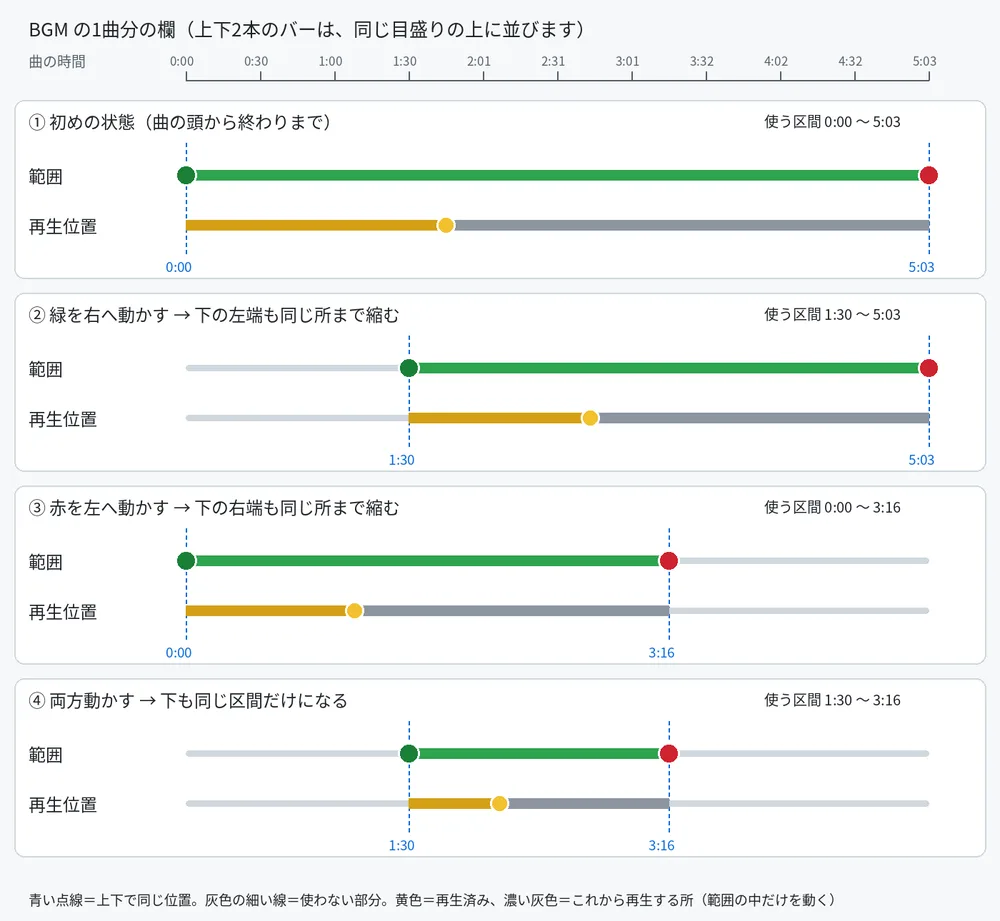
Line up the BGM range bar and the playback position bar at the same position and length.→ The AI redrew the planned layout diagram three times, checked that its understanding was right, and only then built it.
The logo on the install screen looks grainy and messy.→ The cause was stretching the image. Now it measures the frame size at startup and places an image that fits exactly at its original size.
Seeing a flood of text while files are deleted makes me uneasy.→ Condensed it into one line of explanation and a progress bar, and sped up deletion by removing whole folders at once.
Put each song in its own frame. I want to pick files in the usual Explorer.→ Added a frame for each song and a large play button, and switched file selection to the standard Windows dialog.
As the number of songs grows, the frames get cramped and overlap. I also want a "Select All".→ Fixed the frame height and added easy-to-see checkboxes and a "Select All" option.
When I move the volume bar during preview, the sound doesn't change.→ The AI tracked down the bug in the program and fixed it.
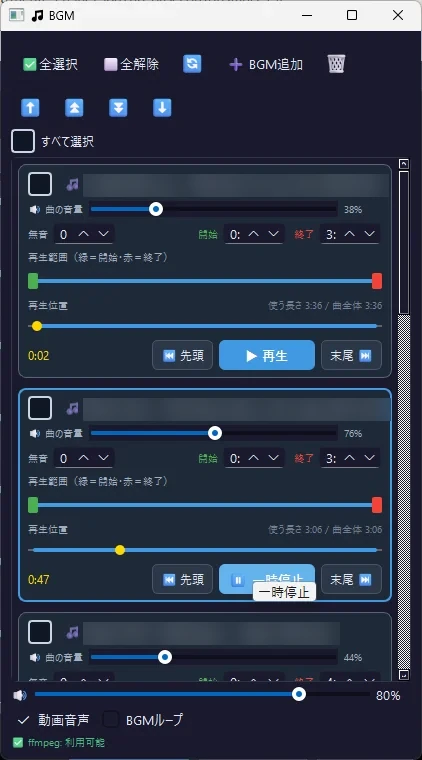
In BASECORD, the AI runs on cloud servers, and everyone shares the same memory. Over this single night, two Claudes split up the repairs, ChatGPT handled the security checks, and Gemini took on the feature consultations.
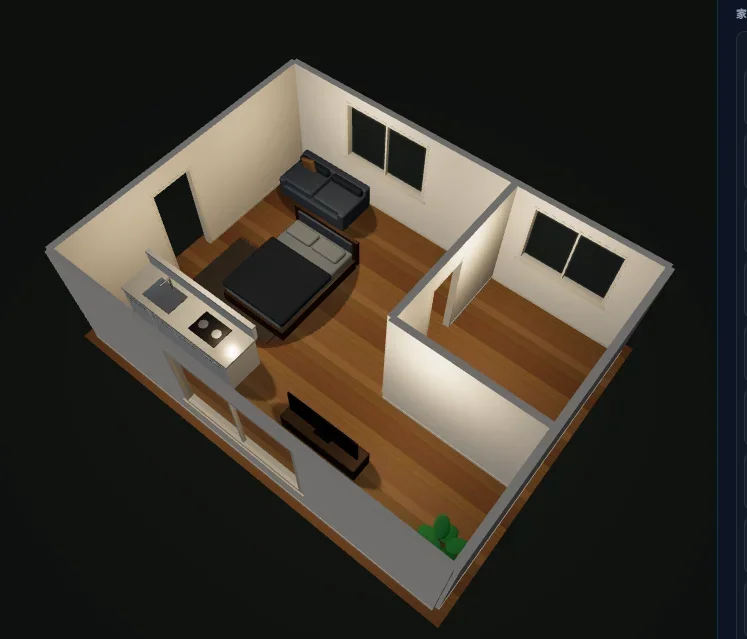
I made this with a light-hearted idea: could someone build a 3D app like this? I asked an AI to make it so that, before renovating, you could get a sense of the interior and furniture, decide on sizes, and settle all sorts of things in advance.
I built this in just a day as a side project, and since I haven't had time to work on it since, it's still far from truly usable. Even so, it displays at this level of quality, and it shows just how much potential there is.
Press ["3D"], then try moving things around using the mouse trackball or the Ctrl key.
Inside the same BASECORD room, I assigned each AI its own role. Gemini handled the startup animation and the screen framework. ChatGPT handled the 2D floor plan editor and the launch into 3D. Claude handled the data structure, wall collision detection, before-and-after comparison of renovations, overall integration, and bug fixes. Whenever an AI had some free time, it took over another's task and kept things moving.
The screen breaks when rotating in 3D→ Tracked down a mistake in the screen size setting and fixed it.
Zoom is coarse and doesn't stop at a comfortable point→ Dropped the standard zoom and rebuilt it with a custom mechanism proportional to mouse movement.
Changing a piece of furniture's color also changes its shadow's color→ Fixed it by excluding the shadow cast on the floor from the color change.
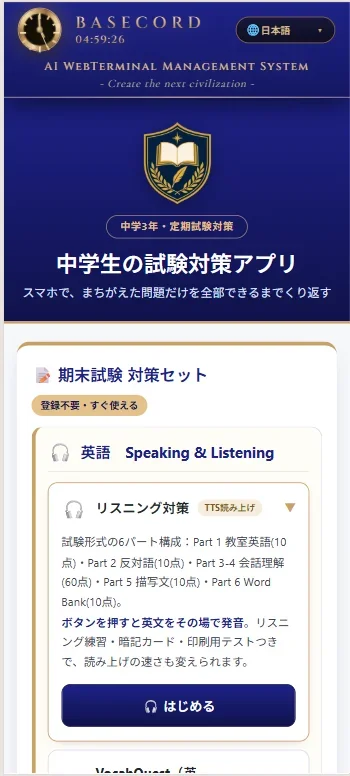
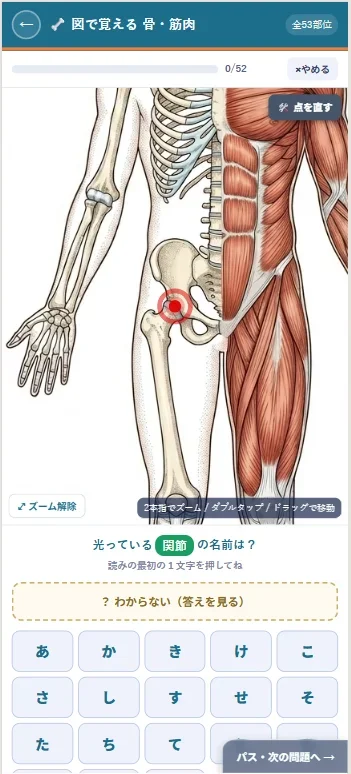
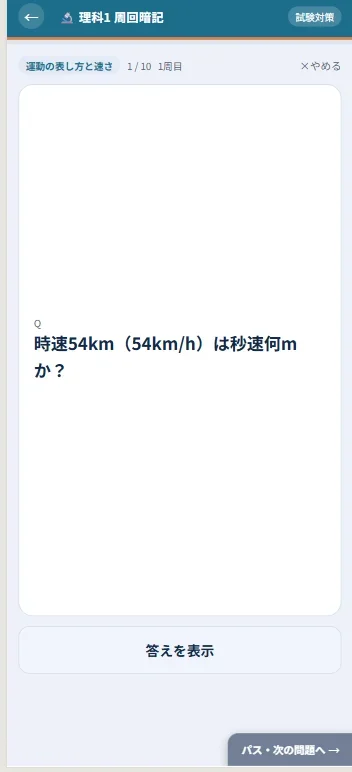
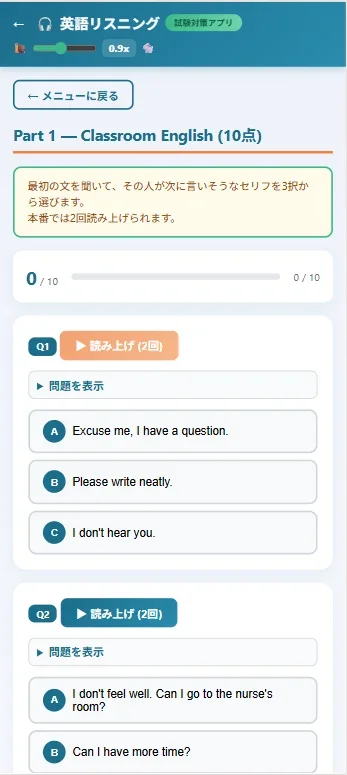
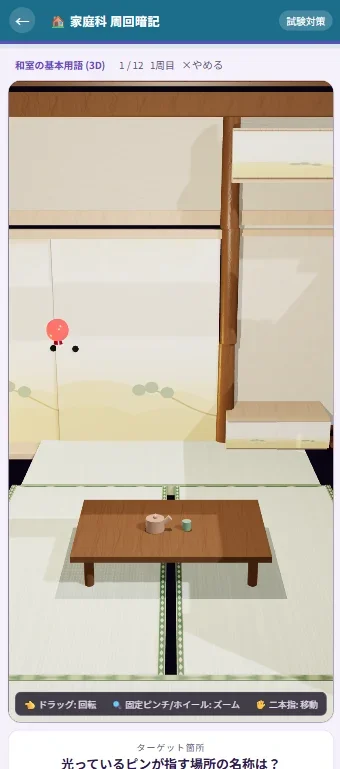
I wanted to help my son study for his exams, so I built a study app that lets him review the material efficiently on the train to school.
Please make an exam prep app based on this material
It worked wonderfully for my son's exam prep.


This is a picture book made with the picture book generator app I built for my son (a generated work). ChatGPT and Gemini drew the illustrations.
A modern, slightly gritty take on Momotaro: a teddy bear named Poko, found by an old woman at a coin laundry, gathers companions and sets off for Demon Island.
With BASECORD, you can build apps and web pages just by talking to multiple AIs.
← Back to all projectsView BASECORD AI →