What you build can run.
Not only can you write code and files, you can also run them on the server and check the results. Investigate errors and fix them, all through conversation.

BASECORD is where AI shows its true potential.
It has the tools to build, the memory to remember, and a place to run things.
So your "Can you build this?" starts to come to life.

"I want to make something like this."
From that one sentence, files get created. They run.
Check the results, then refine again.
BASECORD is a development platform where AI works on a Linux server in the cloud. While you converse, it handles programs and images in the same workspace and builds things that actually run.
Like a fish swimming freely in water, we aim to give AI an environment where its strengths connect directly to the work. "Like a fish to water" is the phrase that captures the feel of using BASECORD.
Not only can you write code and files, you can also run them on the server and check the results. Investigate errors and fix them, all through conversation.
Your goals, the approach you've decided on, and your past work. Continue from where you stopped, building on the same files that hold shared memory. This reduces the need to re-explain background every time.
Claude, ChatGPT, Gemini, and other AIs work on the same platform with shared memory. When you get stuck, you can also consult a different AI.
The intelligence of the AI itself is the same, but the work it can do changes with what it has at hand. We've placed a regular chat screen side by side with BASECORD for comparison.

| Task | Typical chat screen | BASECORD |
|---|---|---|
| Create files | Code is passed as text. Saving and placing it is up to the person | The AI creates files directly on the server and organizes them in place |
| Run and verify | Whether it works is unknown until a person tests it | The AI runs it itself, reads the errors, and fixes them |
| Check the appearance | Cannot see the screen | The page is rendered as an image so the AI itself can check whether the layout is broken |
| Publish | Users' Servers Are Uploaded by People | Publish according to the steps you've decided, then check that it displays properly |
| Picking Up Where You Left Off | When the conversation changes, you have to explain the background again | Pick up where you left off, remembering what you decided and the files you created |
| When you get stuck | Tend to repeat the same ideas with the same AI | Consult other AIs such as Claude, ChatGPT, or Gemini from the same screen |
"General chat screens" refer to using it by simply conversing in a browser. What you can do varies depending on the service and settings.
Just as a chef uses different kitchen tools, AI combines programs, databases, and image and video processing software. The person asking tells the AI "what they want to make," and the AI works out the tools and steps needed for the job.

"Modules" are the parts that add functionality. Linux offers a vast range of options, not only for such parts but also for languages, server software, and creation tools.
A web server that delivers your created web pages to the browser. It forms the foundation for publishing your site.
Apache official site →Dedicated Server PlanReceives form input and builds screens based on conditions. You can write server-side processing for reservation intake and business applications.
PHP official site →Dedicated Server PlanA database that organizes and saves products, reservations, inventory, and other data. It handles searching and updating the information you need.
MySQL official →Dedicated Server PlanAggregate data, organize files, and build app processing. These are the tools for running programs that fit your purpose.
Convert video and audio, and resize or change the format of images. Processing the materials needed for production can also be done in the same workspace as your code.
Open screens to check the display and operation, and keep a record of changes. Supports post-creation verification and review when problems occur.
A web server that handles heavy traffic lightly. Used in place of or alongside Apache, chosen to match display speed and architecture.
Dedicated Server PlanCertificates that encrypt your site with https, and a secure way to log into the server. This is the protection that underpins publishing.
Dedicated Server PlanPages are delivered from a worldwide distribution network, and stale cache clearing is also done via API. I used these every time, even during this one night.
From a full-scale database to one that runs as a single file. We choose what fits your purpose.
PostgreSQL is a dedicated server plan featureKeep frequently used data in memory to speed up page display. It supports busy sites.
Dedicated Server PlanBuild a search system that quickly finds documents and products from a large volume using words.
Dedicated Server PlanDrawing images, adding text, cropping, and converting to lighter formats. This is the groundwork for making pages faster.
Find shapes and faces in photos, and read text inside images. It can also be used to digitize paper documents.
Transcribes the audio of meetings and videos into text. It's a starting point for creating minutes and subtitles.
Reads text aloud with a voice. It can be used for video narration and apps with read-aloud features.
Dedicated Server PlanConverts text into the formats you need, such as Word, PDF, and slides. You can automate the creation of reports and materials.
LibreOffice is a dedicated server plan featureReduce PDF size, split or merge pages, and extract text from them. Let AI handle your document work.
3D screens that run inside the browser. The renovation floor plans and the 3D Othello were built with this.
Software for making 3D models and videos. AI can drive it with commands and render the results without you opening the screen.
Dedicated Server PlanOpens pages in a browser with no screen, clicks, and takes screenshots to verify. This is the tool that serves as AI's "eyes."
Dedicated Server PlanAutomatically checks, again and again, that the programs you build work correctly. Prevents breakage after fixes.
Totals up sales and inventory tables and turns them into charts. Quickly creates material for making decisions from the numbers.
A mechanism that learns trends from data. Useful for demand forecasting and automating classification.
Builds Windows app screens and packages them into installers for distribution. SlideShow Pro was built with this.
Upload the files you built to GitHub and create a release for download. It also serves as the place where downloads are hosted.
Pack the app together with the environment it runs in, so it runs the same way on any other server.
Dedicated Server PlanNightly aggregation, regular cleanup, and automatic restarts when something stops. Work keeps going even when no one is watching.
Dedicated Server PlanShut out unauthorized login attempts and scan files for viruses. Strengthen your server's defenses.
Dedicated Server PlanFrom sending email and payments to Google services and other AIs. Combine with outside systems to expand what you can do.
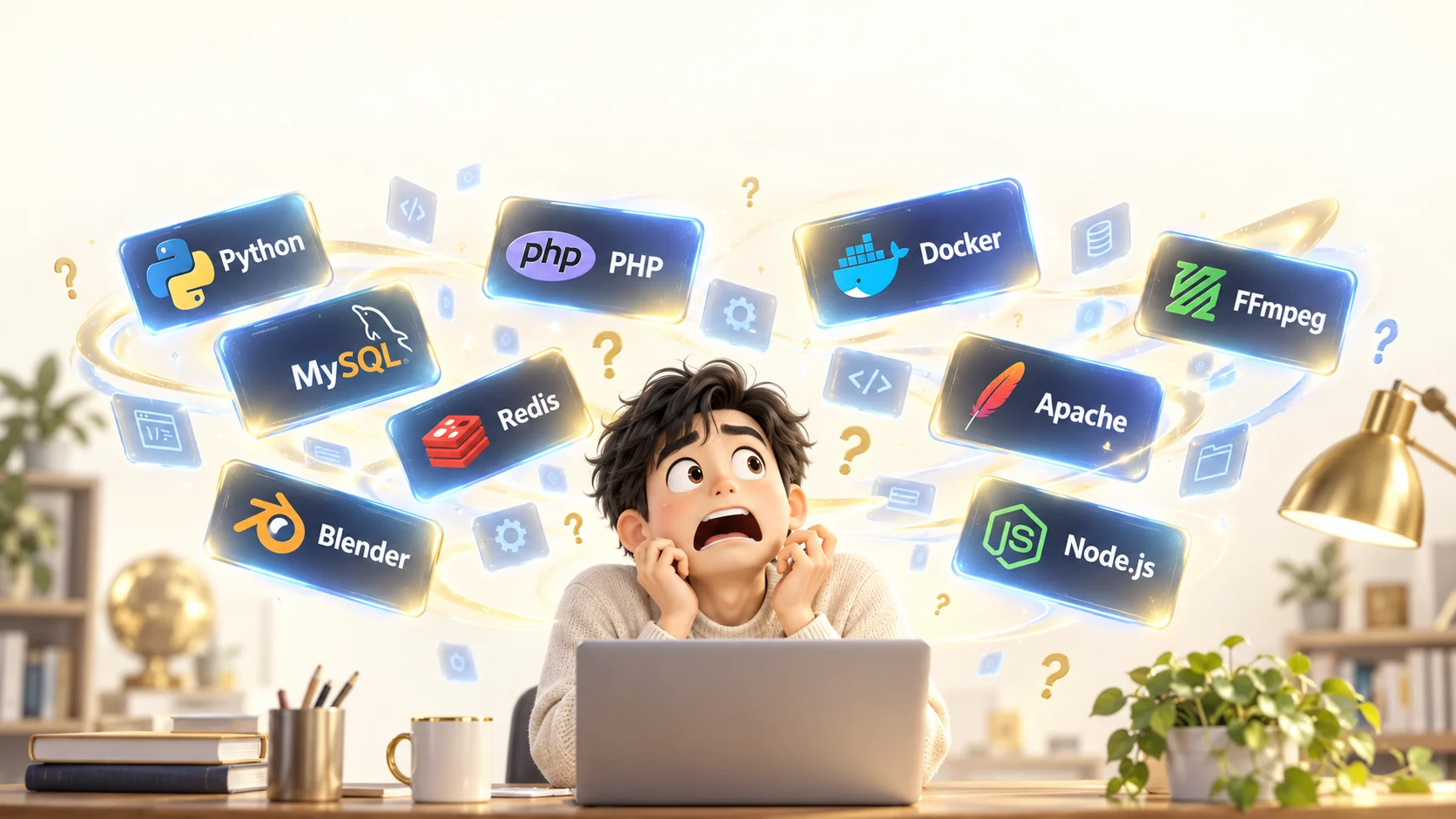
Honestly, I have no idea what any of that means...
But don't worry!
You don't need to understand any of the complicated technical things. The AI will pick the tools it needs on its own and combine them to answer your requests, and it will know how to use them all!

Linux tools come in a completely different scale. The two on the left are counts we actually tallied on the server that runs this page. The two on the right are the sizes of public component libraries anyone can use.
When needed, the AI looks things up on the spot, installs them, and checks how they work. Below is just a small part of that shelf (83 items). Gold (★) marks what was actually used in this overnight work.
This is an example configuration for a dedicated plan. Depending on your goals, different tools may be chosen. We build each request as a system where multiple tools work together.
Linux has a rich set of long-established software. AI looks up how to use it, prepares the necessary settings and code, and checks the results. BASECORD is the workspace where that work can be carried out through conversation.
Not every tool listed here is installed by default. What you can use depends on your plan, installation status, permissions, and server performance. Shared plans cannot run PHP or database servers, and use a storage-only API for data. Dedicated plans let you choose configurations that use PHP, MySQL, and other tools.
This is a real exchange. The creator sent only one screenshot and this one line.

The creator's only role was to look over the work and point out anything that seemed off. The remaining eight steps were carried out by AI combining Linux tools.
"In its element" means having access to these tools and being able to check the results yourself.
It isn't limited to the tools on the server. Through APIs, the "contact points between services," external functions and data can also be part of the work. The AI writes the connecting programs, receives the information it needs, and passes it on to the next task.

Request images from an image generation service and receive the finished files. Adjust the size and format, then incorporate them as material for product introductions or websites.
Connect to video generation and speech synthesis services to prepare materials. Combine them with editing tools on Linux to finish a presentation video with subtitles and audio.
Work with email and chat services to summarize inquiries and draft replies. You can set up a flow that sends after approval, or notifications under conditions you define.
Check free time from an authorized calendar, propose reservation options, and set up a system that registers confirmed details on the calendar.
Retrieve map, route, and weather data to build screens useful for store directions, travel plans, and outdoor event preparation.
If the connected service supports it, import data from online sales or customer management systems for totals and reports, reducing manual data entry.
Read files and spreadsheet data stored in the cloud to create reports and materials. You can also set up a flow that returns deliverables to an approved storage location.
Register files with a distribution service, then update delivery settings and cache. Not just building, but also delivering, can be handled in one place.
If your in-house system has an API, its features can be candidates for connection. Link internal information with the new screens you build to fit your daily work.
An API is the gateway that connects to outside services. Linux tools are the workbench that processes what you receive. On BASECORD, you can build the procedures and programs that use both by talking with AI.
In addition to generating the images shown, we used the GitHub API to register published files for the SlideShow Pro distribution, and the Cloudflare API to purge old cache when updating the web page. This is a real-world example of linking external functions with server-side work.
The above are examples of systems that connect and are developed. Not everything works out of the box; settings depend on the other side's API availability, contracts, authentication, permissions, and fees or usage limits. Separate from your AI chat subscription, external API usage fees may apply.
Keep secrets such as API keys out of public pages, and limit the data sent externally and the operating permissions to what is necessary. Build continuous automated processes with defined execution conditions. Shared plans cannot publish or keep server-side programs running, so if an app you build needs an endpoint that uses a secret key, the design calls for a dedicated plan or another secure execution environment.
Turn your building power into protective power too. You can ask multiple AIs, including Claude, ChatGPT, and Gemini, to review code and settings, fix problems, and verify the fixes afterward. They share the same memory and files while bringing different perspectives, building up defenses step by step.

“Before publishing this app,
check for exposed personal information or keys, and any potential security vulnerabilities.”
Check names, addresses, school names, API keys, and links to admin pages. Confirm that no information that doesn't need to be public remains in files or on screens.
Check whether any input or imported file could lead to a path where malicious programs run. Also examine access permissions and the components in use, and make the necessary fixes.
Confirm the fix with safe tests that reproduce the problem, and check that the original features still work. Ask another AI to re-check, then organize what was confirmed and the remaining issues.
In the Renovate Simulator in the production list, we reviewed the display processing for imported furniture data and found a problem where malicious programs could run. We applied a fix that displays furniture names as plain text and added checks on imported content, and confirmed the fix with test data. In the learning app, we checked school names, personal names, and similar details before publishing.
AI-based review is support for improving safety. Even with multiple AIs, oversights can happen, and there is no guarantee that every attack will be prevented. Regular updates and backups are also important. The scope of review and fixes you can perform depends on your plan, permissions, and connection settings.
Your workspace is in the cloud. Open it from a browser and tell it what you want to build or what you want to fix.
Continue ideas from your home PC, or make fixes you think of while out. Work with the same environment's files and conversations.
The AIs you can use depend on your own subscriptions and connection settings. You don't need to have a specific number of AIs set up.

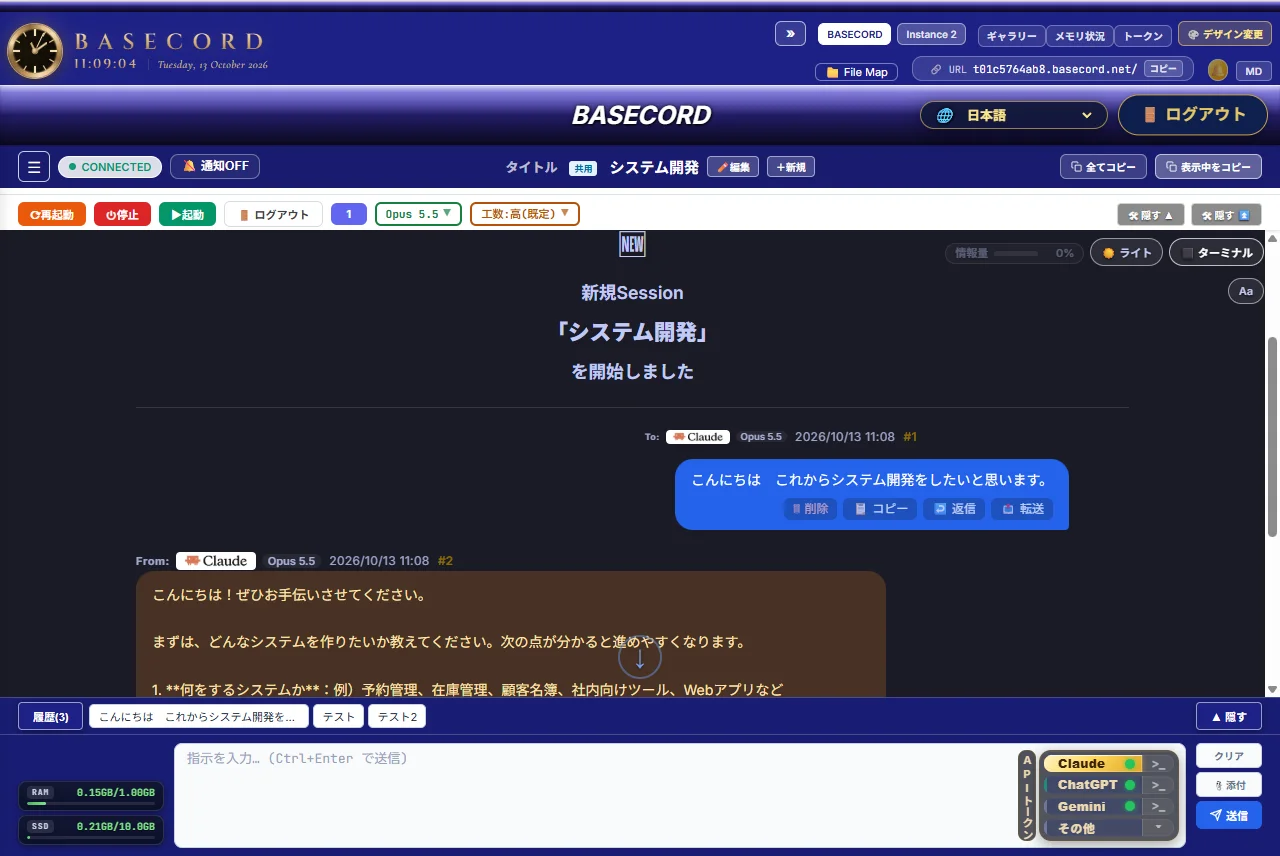
Send a request from the bottom of the screen and check the AI's replies and work. Click an image to enlarge it. The display reflects the state at the time of capture.
For example, your first request can start with words like these.
“Create a website for a fictional hot spring inn.
I want an appealing site featuring an open-air bath by the river.”
↓ A homepage the AI built from a request like this
You don't need to prepare perfect instructions from the start. Look at what takes shape and move it closer to your taste and how you use it. That back-and-forth is what development is.
The request above is a shortened version of the prompt from a production example. It doesn't always finish in a single request; it needs checking and revision depending on the content.
"SlideShow Pro", a slideshow creation app for Windows. Some excerpts pulled from a single night's exchanges.
Stop installing through PowerShell. Have it install through a dedicated screen.Reworked into a wizard-style installer that proceeds with [Next].
Make the range bar and the playback position bar the same length and in the same position.Before building, drew the understood content as a diagram to confirm. Redrew it, then implemented.
Lots of deletion text scrolls by, and it makes me a little uneasy.Replaced with a one-line description and a progress bar that moves. Deletion itself is also made faster in bulk.
Put each BGM track in its own frame so it fits even when narrower.Based on a layout proposal drawn by another AI, added feedback and finished.
Moving the volume bar during preview doesn't change the volume.Identified the cause and fixed it. Moved the preview and confirmed that 30% produces 30% volume.
BASECORD's AI reads its rules and memory before it starts any work. No matter which AI you ask, it begins from the same foundation.
Policies shared across every workspace. Say it once, and it applies to everyone.
Agreements for each workspace. These are the project's handoff notes.
A bookshelf that summarizes and keeps earlier work. It can answer "Wait, where did we leave that?"
How memory scope and sharing work depends on your plan and settings. The examples are ones actually used in creating this work.
Because the AI does the work itself, use it together with a system that lets you roll back changes.
Before working, a copy of each file is saved before it gets rewritten. If you don't like the result, you can restore it.
Changes to the workspace are recorded automatically, so you can later trace when and what changed.
Before publishing, we check the site with tools for names, addresses, keys, and any openings that could let malicious programs in from outside.
In reports, we clearly separate what has actually been verified from what has not yet been checked. We never call something "complete" if it hasn't been verified.
The systems introduced here are examples of how we operated while building these works. Available features vary depending on plan and settings.
These works were created by makers who are not engineers, through conversations with AI.
Not only the finished results, but also the inspiration and the words used to request them are shared here.

A riverside hot spring inn, luxury cars, a private jet. A portfolio of websites that turn imaginary worlds into images and pages.
View the Website Portfolio →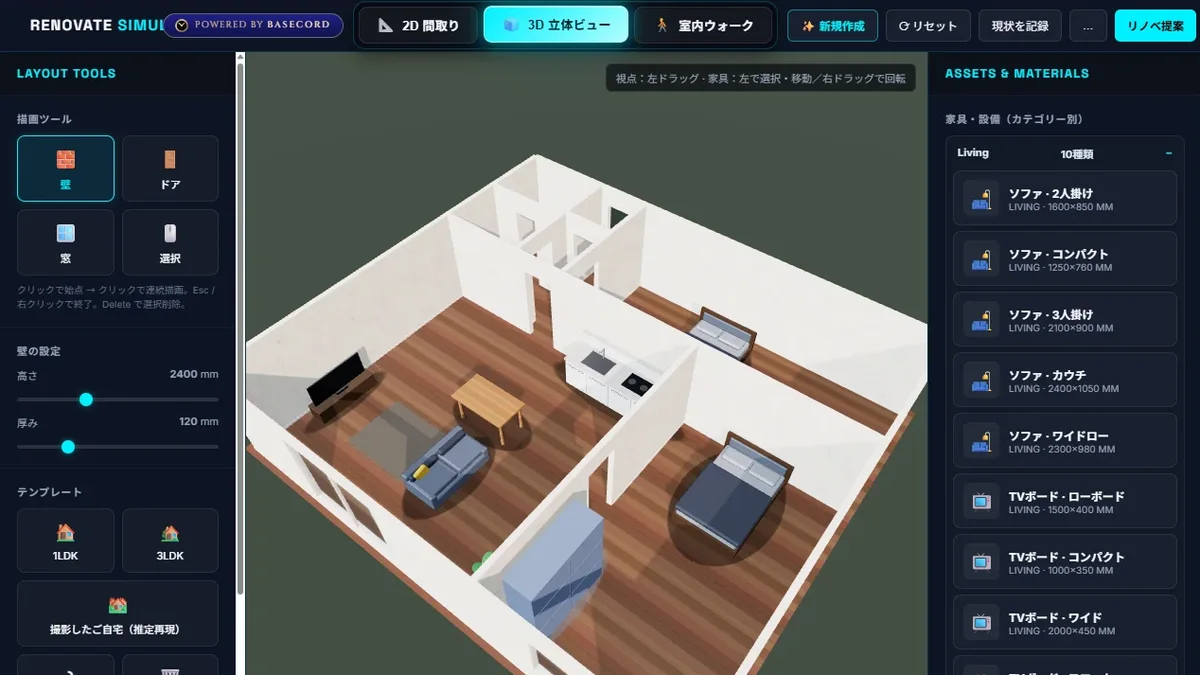
Thinking through interior layouts and furniture placement in advance. A 3D app made in a single day as a side project. It is a prototype still under development for practical use.
View the Production Story →
A study app born from a everyday wish: to memorize exam material efficiently on the train to school. It teaches through pronunciation, diagrams, and 3D.
Study App Production Story →The works currently published are test pieces to try out what is possible. The shops and inns on the website are fictional.
Just make your request in natural language, and AI will build the code and screens for you. Stating your goal, testing the result, and explaining anything that bothers you are important roles for the person using it.
Besides the type of AI, the tools available, your instructions, the work environment, and the accumulated checks all affect the outcome. BASECORD brings that work environment together in one place. It does not guarantee higher quality than other services for every request.
Yes. Shared plans do not support server-side programs such as PHP, but you can save your app's data to the server with the storage-only API. Dedicated plans (one server per company) also allow development using PHP, databases, and more. The AI and image generation tools you can use also vary depending on your contract and settings.
Before publishing, you need to check its operation, personal information, rights, and security. Use AI-based review as well, and verify and refine the result yourself.
As a basic rule, it only fixes the scope you asked for and keeps a backup before making changes. We confirm before any irreversible operation or work beyond the scope you requested. Even so, please always verify the results with your own eyes.
"I wish something like this existed."
Why not shape that idea together with BASECORD?